Annotating DICOM without flattening it to PNGs
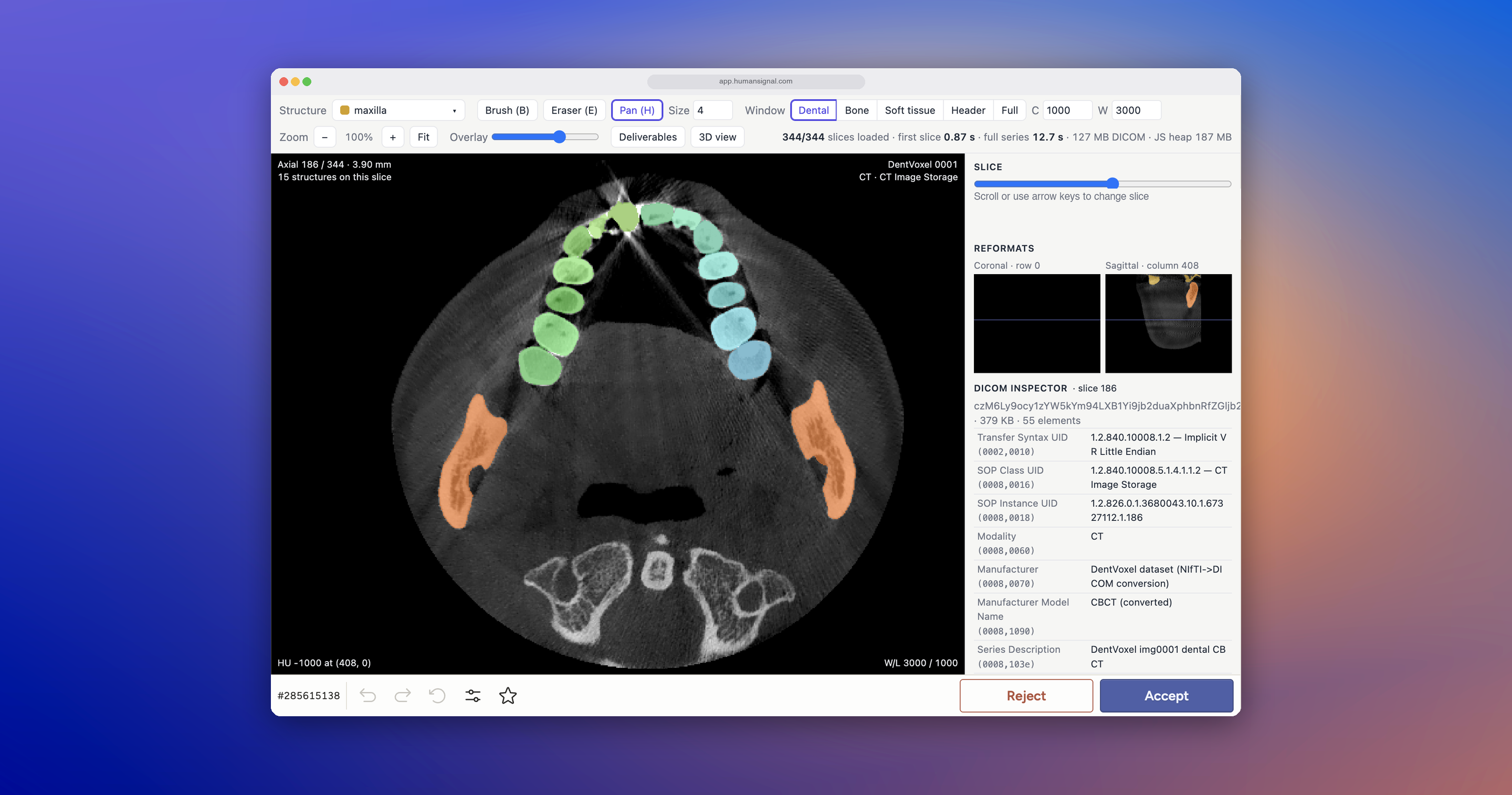
Most medical imaging teams throw the file format away before anyone labels anything. A study goes into a conversion script and comes out as a folder of PNGs. What stays behind: the windowing ranges the technician set, the structures the file already encodes, the geometry linking one slice to the next, and the acquisition metadata. Your annotators then label flat images in a general-purpose image tool and rebuild the volumetric context in their heads.
We built a DICOM annotation interface that reads the file itself. Here is what that makes possible.
Read the study in the views your domain uses
The interface reconstructs the study from the DICOM and renders two views at once: a frontal reconstruction and a side reconstruction. A slider moves you through the volume. Scrub in from the surface of the face and you pass through soft tissue into bone, with both views tracking the same position. Zoom, pan, and a reset control cover the rest.
Compare that to an exported image stack, where your annotator cannot tell where a slice sits in the volume or what lies above and below it.
Window the scan instead of accepting one grayscale
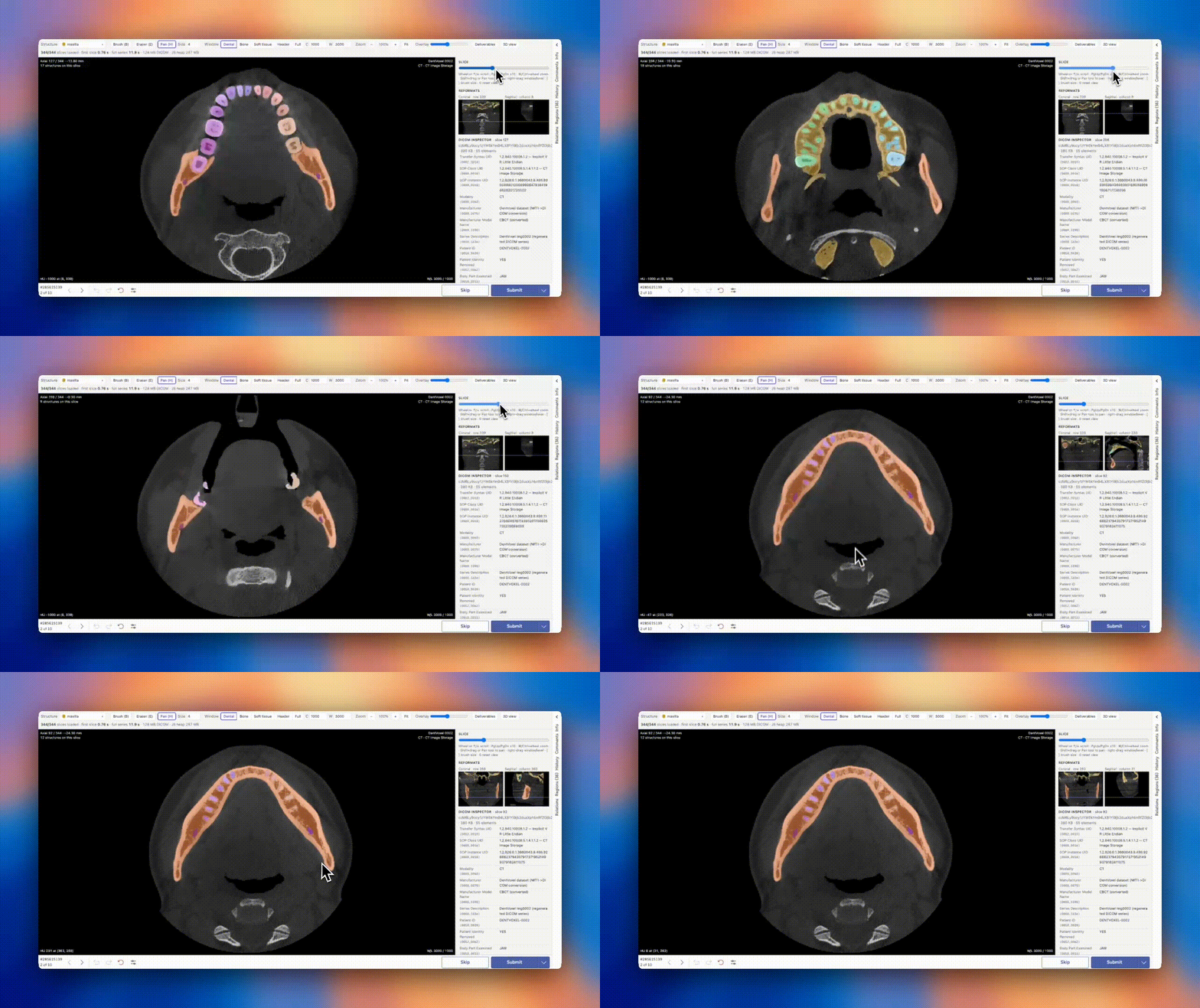
The same pixel data shows different anatomy depending on the grayscale range you map it to. A window tuned for bone renders soft tissue as flat grey. A soft-tissue window loses the skeletal detail.
This interface treats windowing as a control rather than baking one range into an export. You can use the header defaults, which are the ranges whoever authored the DICOM set; the full unfiltered range as it sits in the file; standard presets for bone and soft tissue; or a dental view that isolates the teeth. Switching costs one click and changes nothing on disk, because it is a rendering choice.
An annotator who sees one window guesses at boundaries that another window would settle.
Start from the structures already in the file
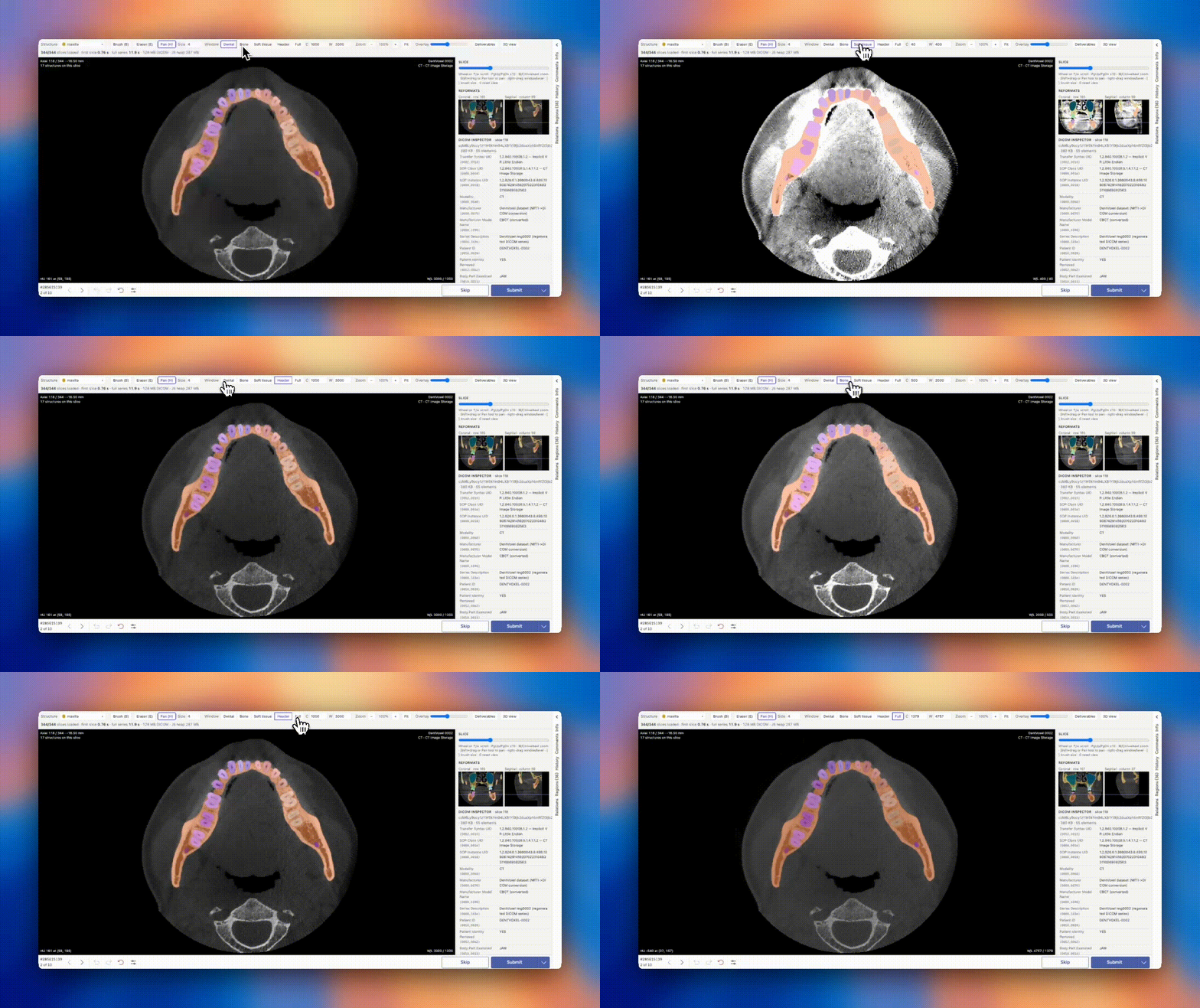
Many DICOM files carry labeled structures. Most pipelines discard them during conversion, then pay annotators to redraw what the file contained.
This interface reads those labels out of the file, so every encoded structure arrives segmented across every slice. Your annotators correct and refine instead of starting from a blank image. A brush and an eraser adjust a mask. An overlay-strength control sets the opacity of the label colors on the scan, so you can drop them back to check a boundary against raw pixels, then bring them up again.
That shifts the work from production to review, which carries a different cost and asks for a different skill.
Move between 3D and slices without hunting for the slice
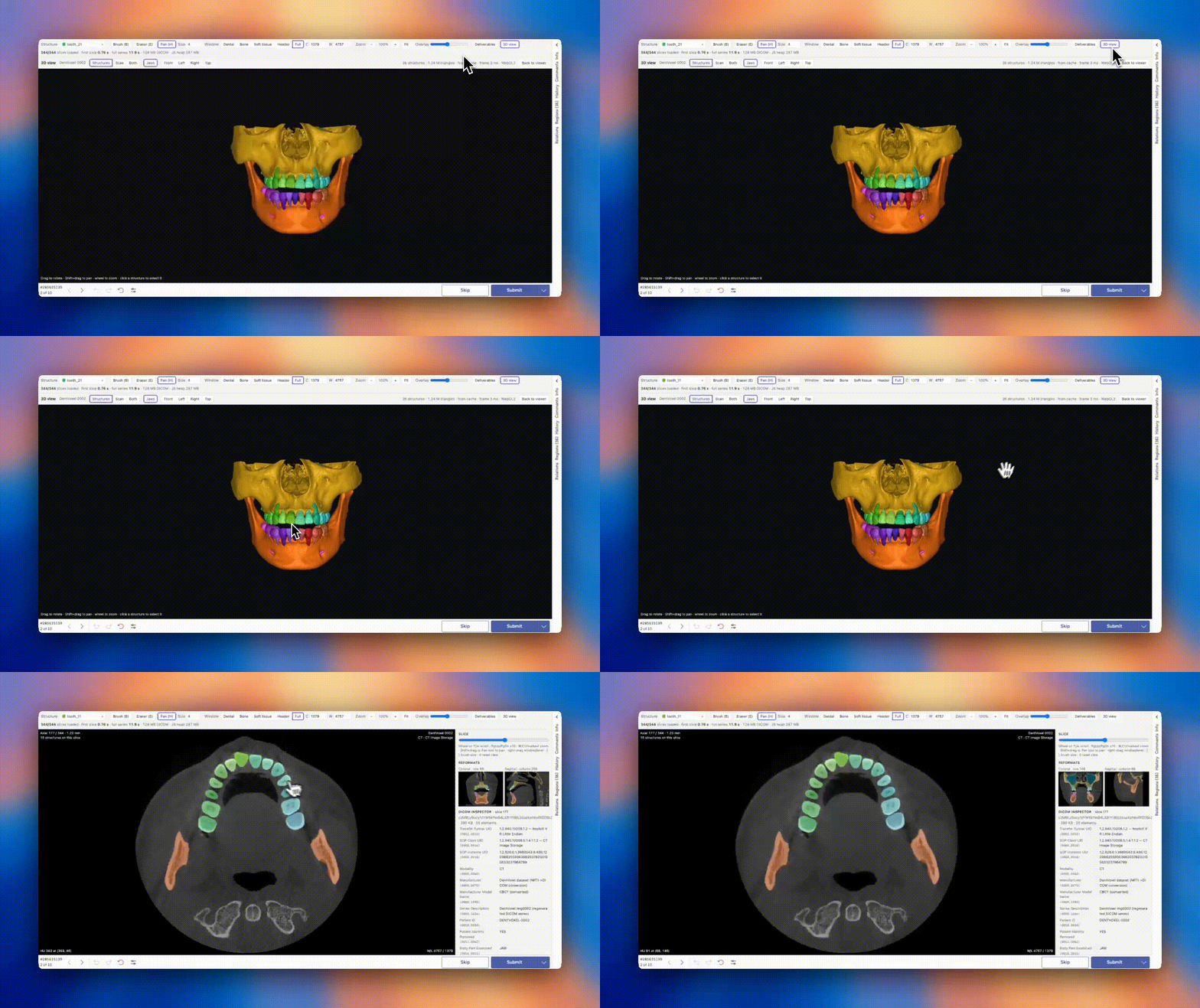
The interface renders the full volume in 3D with WebGL. The two views share state: select a structure in the 3D render, return to the slice view, and the slice view holds that same structure selected, at its position in the volume.
That round trip removes the slowest part of volumetric annotation, which is finding the slice where your target lives. You spot it in 3D, then land in 2D to label it.
Keep the header in front of your annotators
A DICOM header carries what shapes interpretation: acquisition parameters, spacing, orientation, equipment, and the ranges the original author set. The interface lists all of it in a sidebar beside the scan.
Your annotators will not read it often. The value shows up when a scan looks wrong, whether off-scale, mis-oriented, or out of step with the rest of a batch. The answer sits in the header, and one glance decides whether your annotator settles the question or flags the task and waits two days.
What this changes for your team
Reading DICOM instead of converting it away means your annotators work in the views their domain uses, start from structures the file already encodes, and check any question against the file's own metadata. Your team spends its time on judgment calls, not on rebuilding context the format carried all along.
Every part of this interface is code: the windowing presets, the tool set, the layout, and which structures stay editable. It runs on Label Studio Enterprise's programmable interfaces, so you can adapt any of it to your modality and your workflow.