Teach Docling Your Documents: Ground Truth, Evaluation, and Fine-Tuning with Label Studio
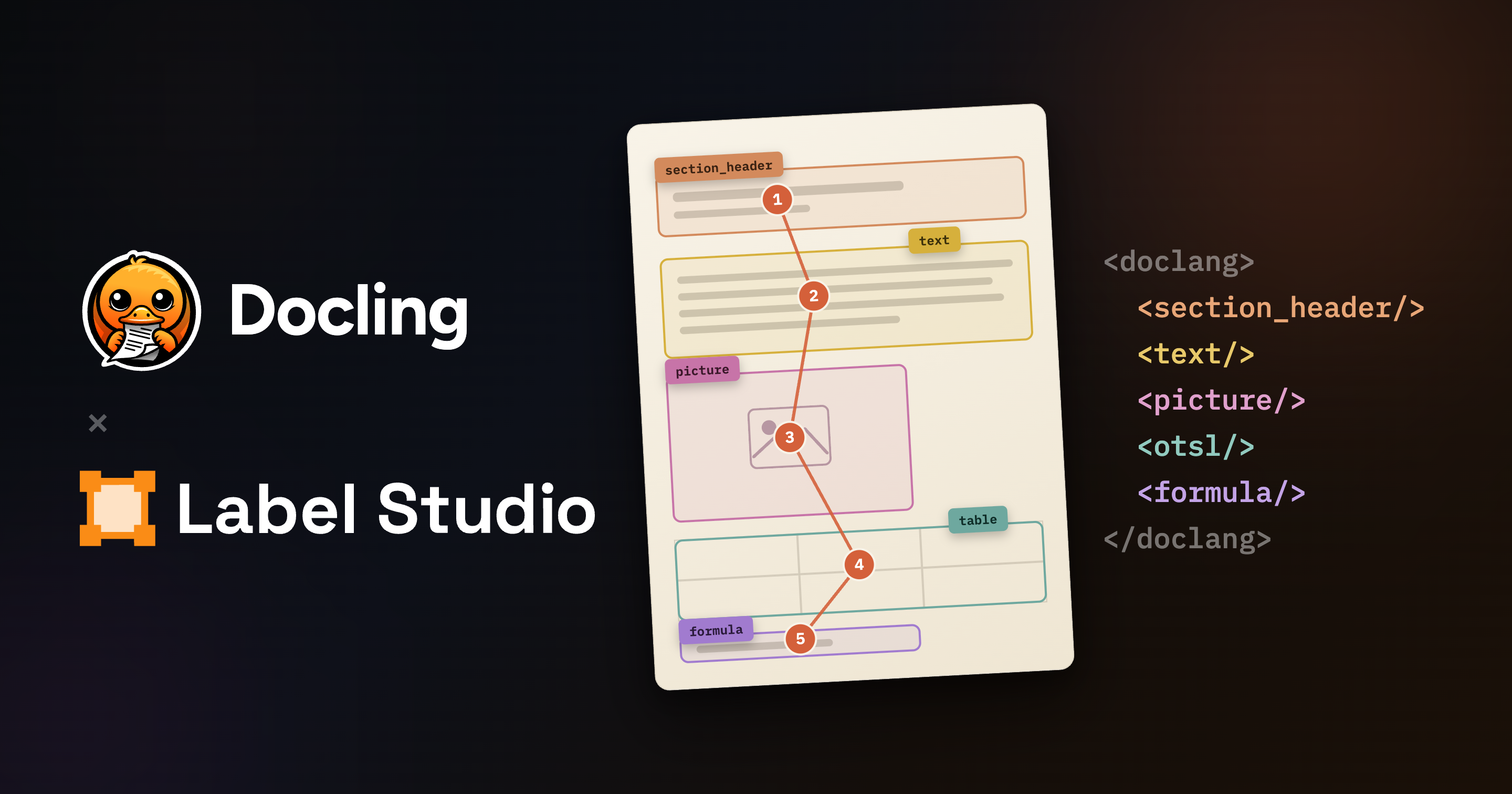
If you use Docling, IBM’s open source toolkit for document conversion, you already know how good it is at turning messy documents (PDFs, scans, office files) into clean, structured, AI-ready data. The ecosystem around it is growing fast, too. Earlier this year, IBM, ABBYY, NVIDIA, Red Hat, and HumanSignal launched DocLang, an open standard under the LF AI & Data Foundation that defines the elements, hierarchy, and definitions needed to represent documents in a way AI systems can use.
But what happens when you point Docling at your own documents? A few questions come up quickly:
- Your documents don’t look like Docling’s training data. Lab reports, claim forms, invoices, engineering drawings: every organization has internal document formats no public model has ever seen, and conversion might be inaccurate on the documents that matter most to you.
- It’s hard to estimate quality at scale. Spot-checking JSON or Markdown output by hand works for ten documents, not ten thousand. Without defining your ground-truth, you can’t estimate how well Docling is performing on your corpus, or whether a new version improved or regressed on your files.
- Fixing errors means hand-editing output. When a table gets scrambled or reading order goes sideways, there’s no review workflow. It’s just you and a text editor.
- Fine-tuning needs labeled data you don’t have. Adapting the models to your formats requires correctly structured examples of your documents, and building those by hand is slow, tedious work.
This is where Label Studio comes in.
Meet Label Studio
Label Studio is an open source data labeling platform built by HumanSignal, and one of the most widely used tools for creating the data that trains, evaluates, and powers AI. If you haven’t used it before, it gives people a fast, purpose-built interface for reviewing and correcting model output, and for creating gold-standard data from scratch. You can configure the UI for any combination of data types and annotation tasks, and it includes everything serious labeling projects need: multi-annotator review, built-in agreement metrics, analytics, and model connections for pre-annotation.
HumanSignal is also a launch member of the DocLang working group, so Label Studio supports the format natively.
Today, we’re excited to announce a partnership between IBM’s Docling and Label Studio that connects the two directly: a purpose-built Docling annotation experience, native DocLang export, and a live connection to Docling models for generating predictions on your own data. Let’s dive into what we’re releasing today!
A New Docling Experience Inside Label Studio
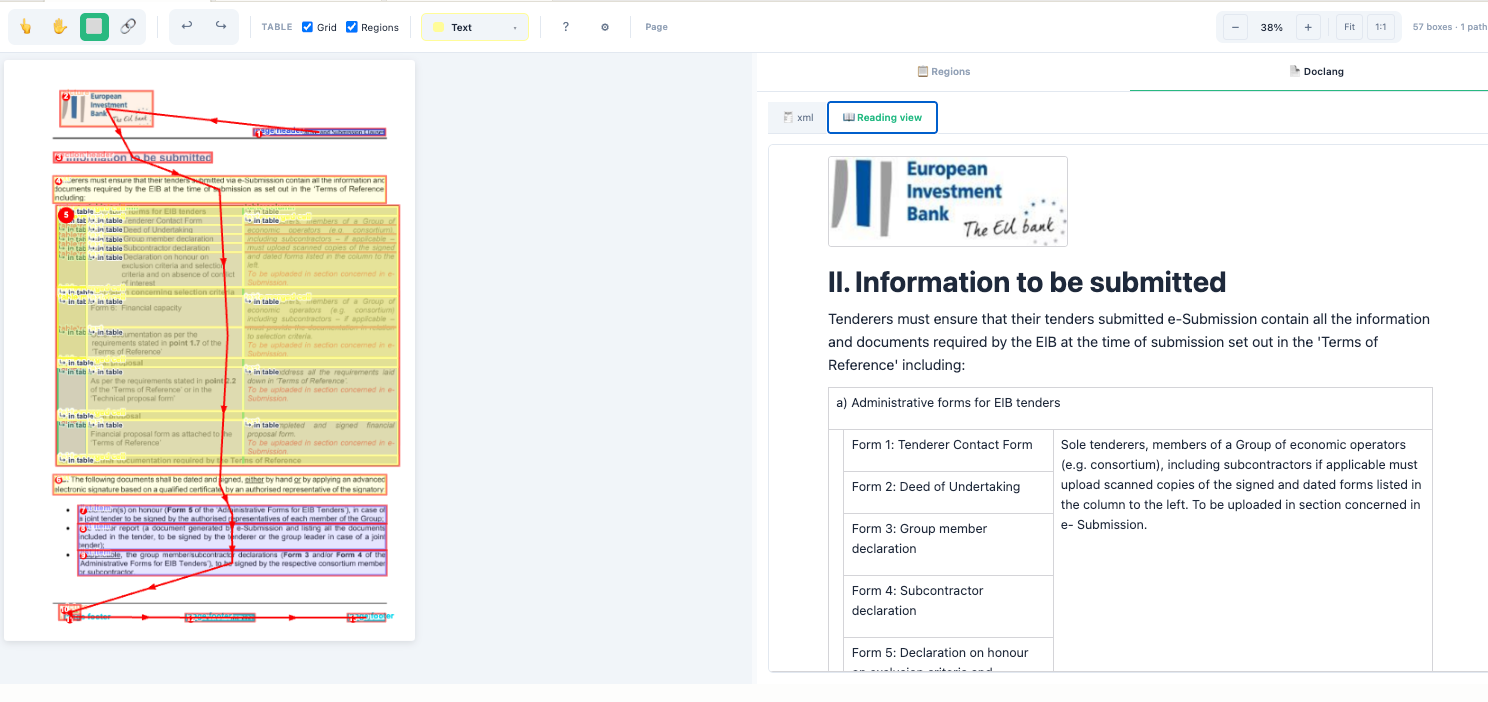
A screenshot of a document being processed using the new Doclang Interface in Label Studio.
The new Doclang interface, co-developed by the Label Studio and Docling teams, was custom built to support the nuances of the DocLang format. You annotate directly on the document: draw bounding boxes around element types (with automatic, customizable OCR powered by Tesseract when appropriate), then layer on the reading order paths that tell DocLang how the document flows. The interface also supports intricacies like ordered and unordered lists, merged regions, and detailed table structures.
As you work, the sidebar tabs update in real time with the actual DocLang structure of the document you’re creating, so you can quickly spot errors and make changes. You can view the results in both XML form and in generated document form. When you’re done, the DocLang XML is saved alongside your annotations, so you can use it downstream without regenerating or reconstructing it.
The First Annotation Platform to Support DocLang Exports
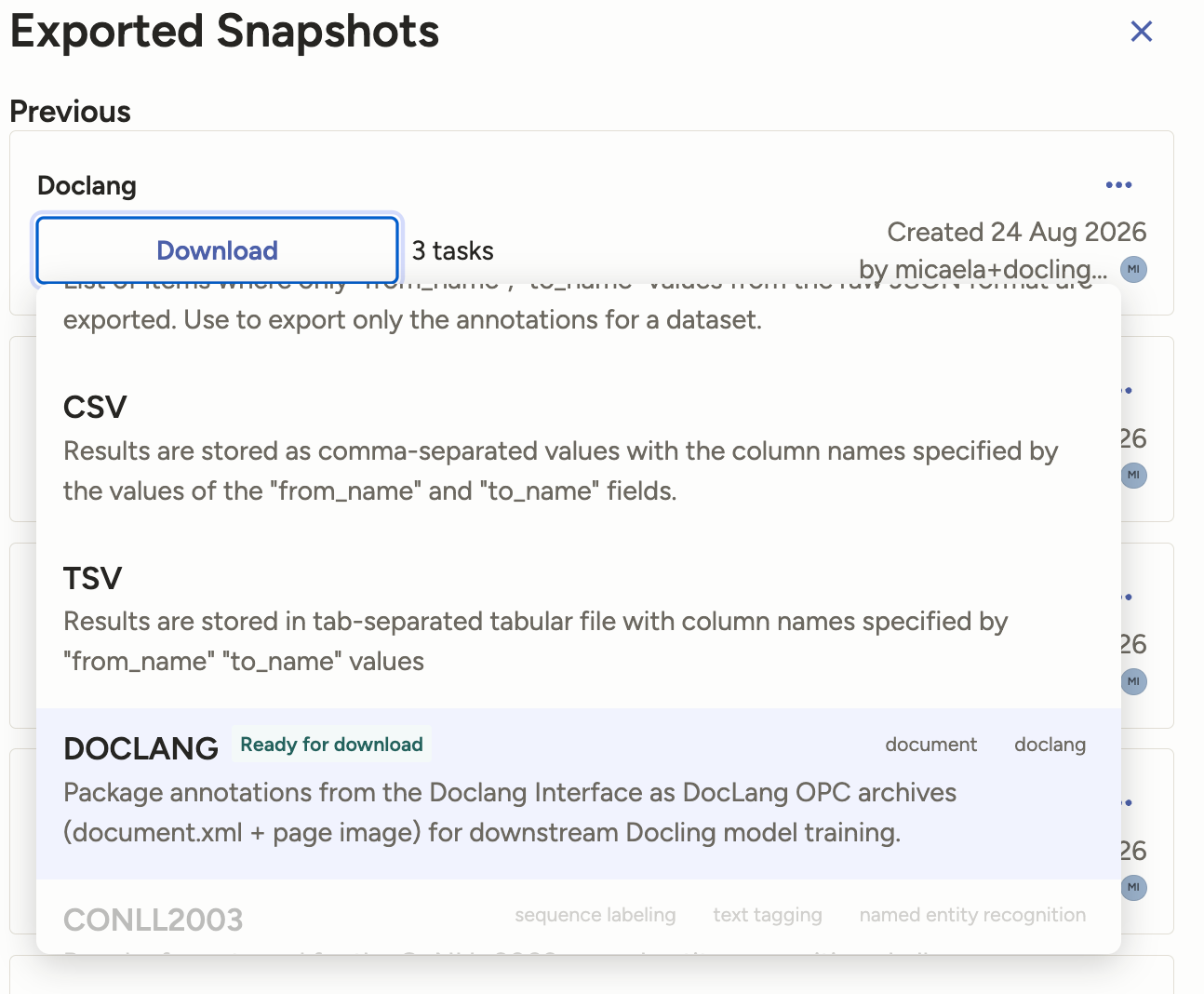
The new Doclang export format, available in Label Studio Enterprise.
Label Studio is the first annotation platform with a native DocLang export. When you use the Doclang interface, you can download your annotated data as a .dclx file, the standard extension for DocLang Archive files. The archive contains the structural data you created along with the related page images, so it’s ready for downstream use as-is: evaluation harnesses, fine-tuning pipelines, or any other tool that reads the standard.
[Beta] Connect to Docling to Generate Predictions in Real Time
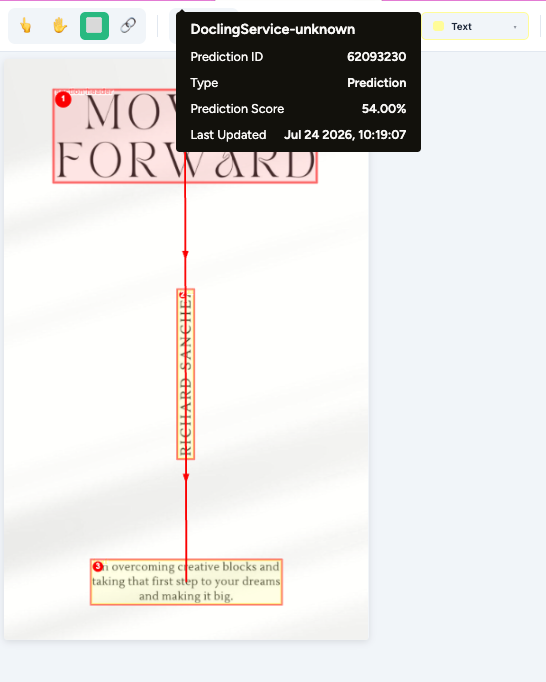
A document in the Label Studio Doclang Interface, with a generated prediction from the Doclang-SaaS ML Backend.
Correcting a model’s prediction is much faster than annotating from scratch. That’s why Label Studio lets you connect models that pre-annotate your data, through a component called the ML Backend. We’ve built an ML Backend for Docling for IBM watsonx, a hosted service for running documents through Docling models in real time. Connect it to your project and Docling’s predictions appear in Label Studio automatically, ready for you to review, correct, and promote to ground truth.
As with any ML Backend, you’ll deploy it somewhere your Label Studio instance can reach (in the cloud, or locally with a tunnel) and connect it in your project settings. You’ll also need an account with Docling for IBM watsonx; new accounts include a 30-day free trial with 5,000 pages.
Where This Fits in Your Workflow
Evaluating Docling on your documents. Annotate a representative sample to create a gold-standard set, then compare model output against it. Re-run the comparison whenever a new model version ships.
Reviewing output in production. Route low-confidence or high-stakes conversions to a human review queue, fix them in the visual interface, and export corrected DocLang instead of editing XML by hand.
Fine-tuning for custom formats. Build the labeled, correctly structured examples of your document types that fine-tuning requires, starting from model predictions instead of a blank page.
Ready to Get Started?
The new Docling interface is available in Label Studio Starter Cloud and Label Studio Enterprise. You can learn more about the difference between the two, or start your free two-week trial (no credit card required), on our pricing page. Setup details are in the Docling integration docs. And if you want to explore the platform itself, Label Studio’s core is open source: you can find the Label Studio repo on GitHub.
Related Content
-
HumanSignal Joins the DocLang Ecosystem to Support Human-in-the-Loop Document AI
HumanSignal is a founding contributor to the DocLang Specifications Working Group to create open standards for document understanding.

HumanSignal Team
June 9, 2026
-
Integration Spotlight: OpenMMLab & Label Studio
How to use OpenMMLab with Label Studio's machine learning API to provide semi-automated bounded-box labeling using the mmdetection library.

Erin Mikail Staples
May 24, 2023