Label Studio 1.23: Vector Annotation, Interactive Task Source, and Data Manager Improvements
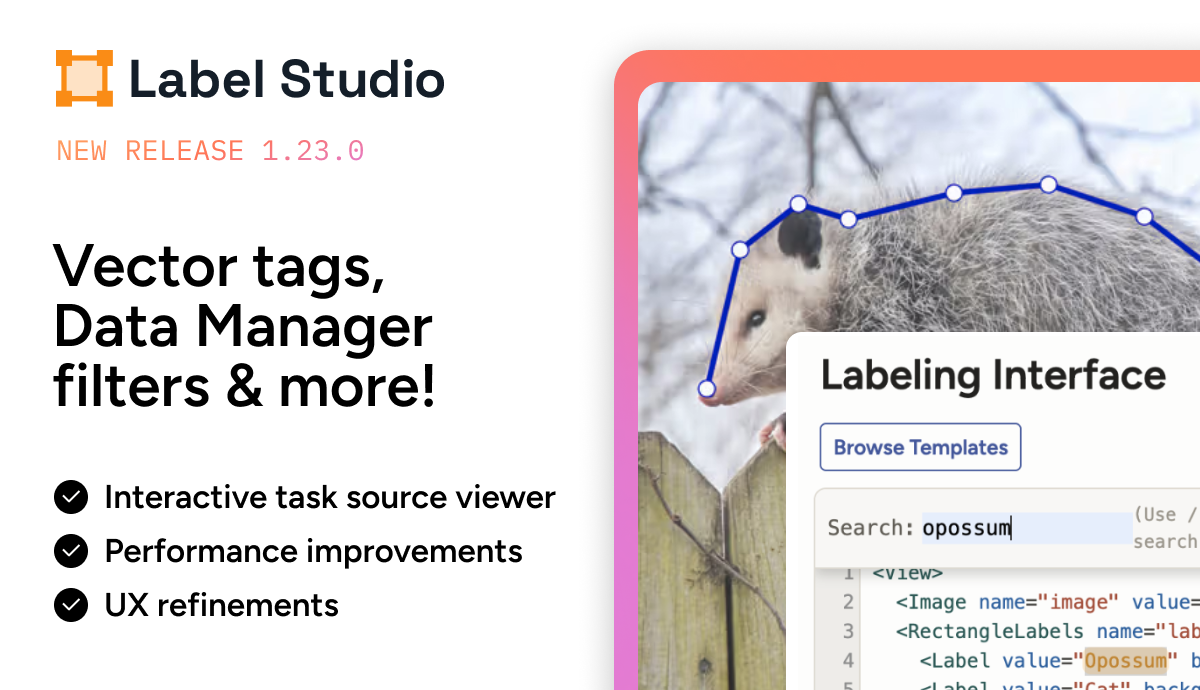
Label Studio 1.23.0 introduces support for vector-based image annotation along with several improvements that make it easier to inspect task data, manage filters, and navigate large labeling projects.
This release focuses on everyday workflows inside the Data Manager and Template Builder, helping teams move through tasks faster and work more efficiently with their datasets.
Annotate images with vector lines
Label Studio now supports point-based vector annotation through two new tags:
<Vector><VectorLabels>
These tags allow you to create vector annotations directly on images using structures such as:
- Polylines
- Polygons
- skeleton-style annotations
Vector annotation is useful for tasks where relationships between points matter, such as pose estimation, structured object outlines, or tracing paths in imagery.

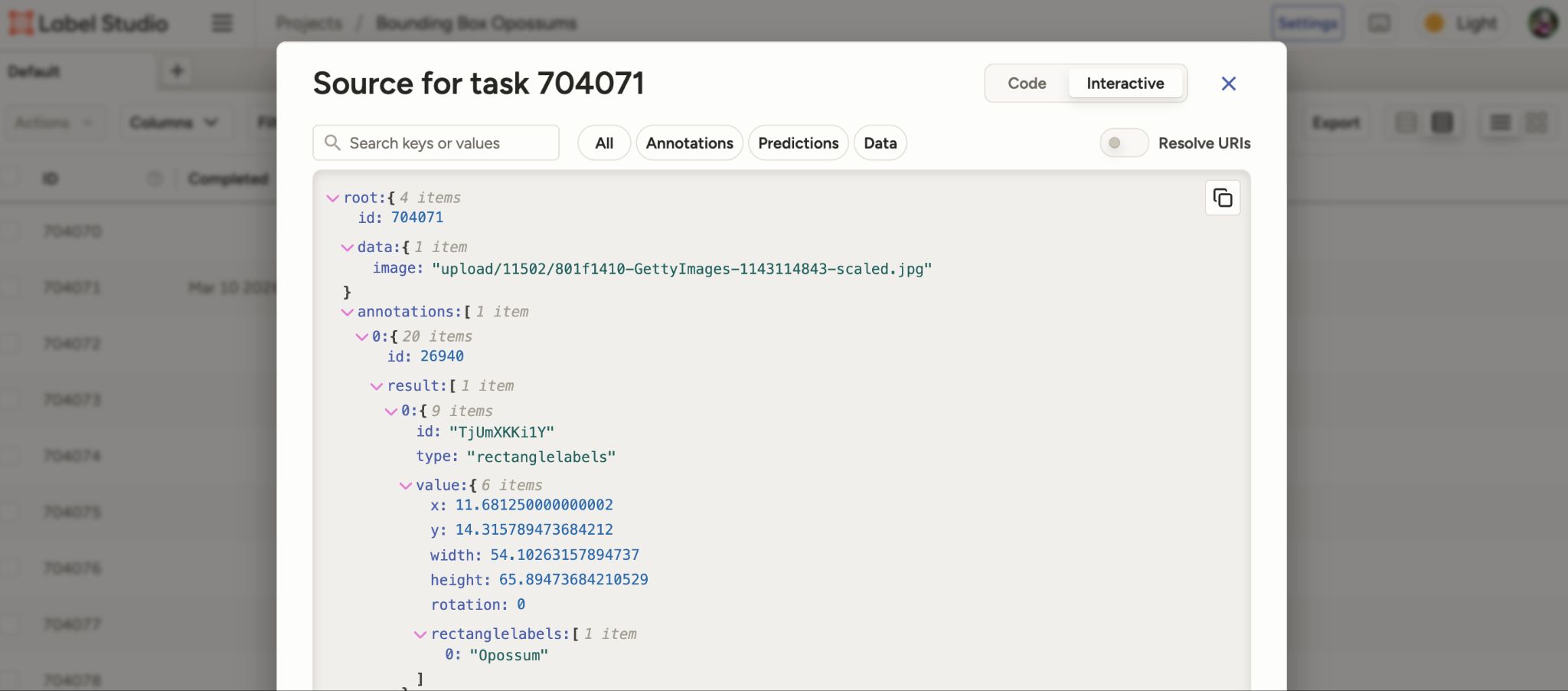
Interactive view for task source
Inspecting task data is now easier.
When clicking Show task source <> in the Data Manager, you can switch to a new Interactive view of the task JSON.
This view allows you to:
- search within the task source
- expand or collapse nested sections
- copy specific portions of the JSON
- toggle between resolved URIs and original URLs
These improvements make it easier to debug integrations, understand task structure, and inspect large task payloads without manually parsing raw JSON.
Data Manager filter enhancements
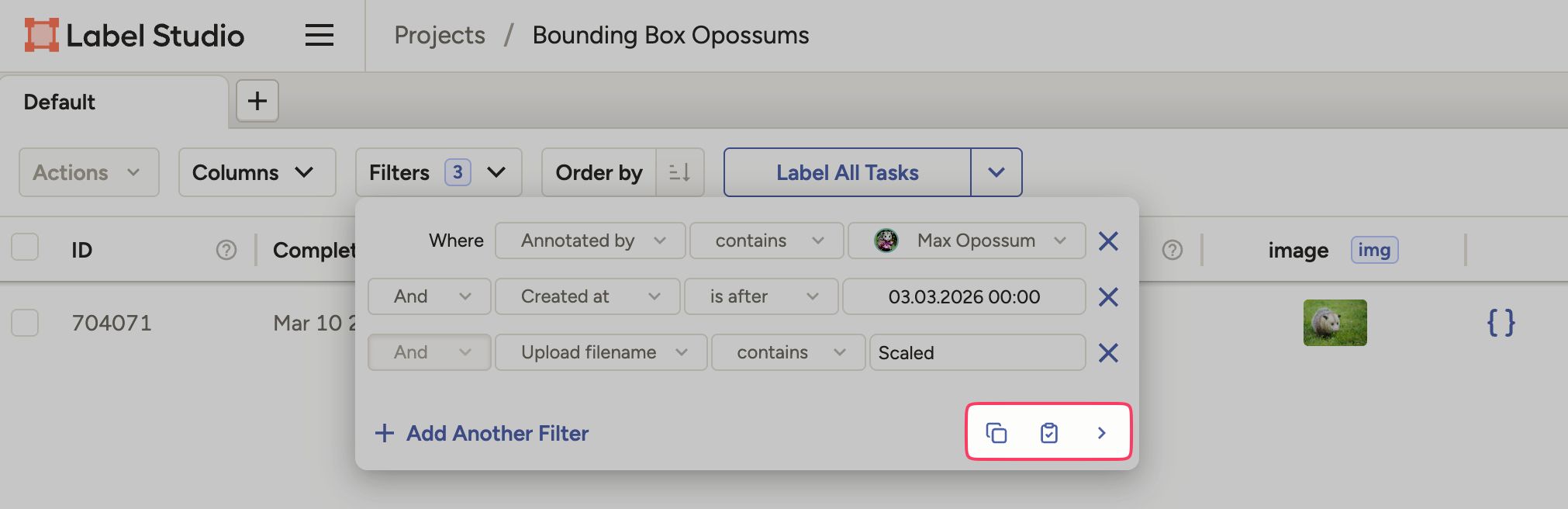
Data Manager filters now include several improvements that make them easier to reuse and manage.
You can now:
- copy and paste filters between tabs within the same project
- paste filters across projects (incompatible fields are automatically removed)
- copy filters as JSON for editing outside the interface
- quickly access the three most recent filter selections
- start new filters with your most recent selections automatically pre-populated
These updates help teams quickly move between dataset slices when reviewing or annotating large projects.
Context menu for Data Manager rows
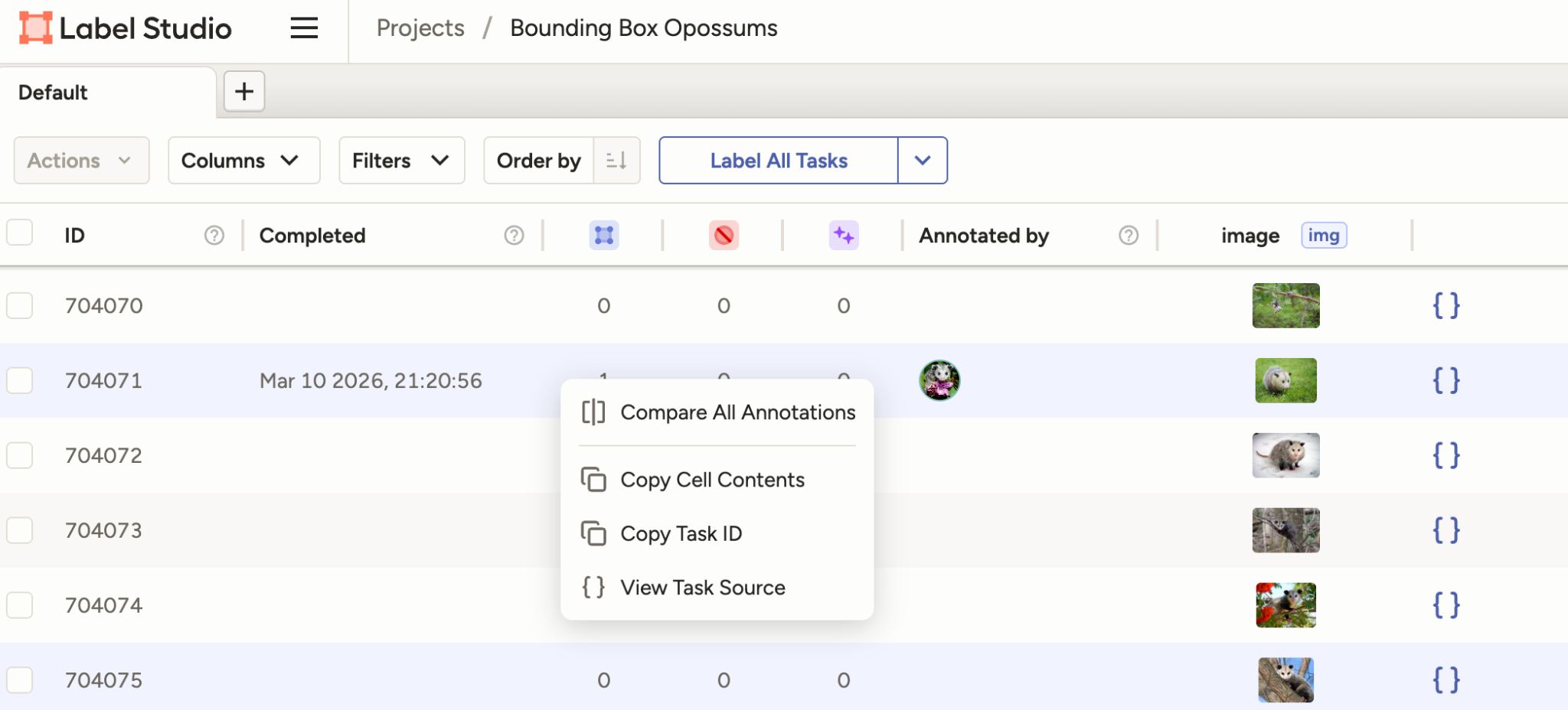
You can now right-click any row in the Data Manager to open a context menu with quick actions.
From this menu you can:
- copy cell contents
- copy the task ID
- compare all annotations for a task
- view annotator and reviewer performance (Label Studio Enterprise)
This makes it faster to inspect or investigate individual tasks without navigating through multiple screens.
Improvements to the Template Builder
Several updates make it easier to configure labeling interfaces.
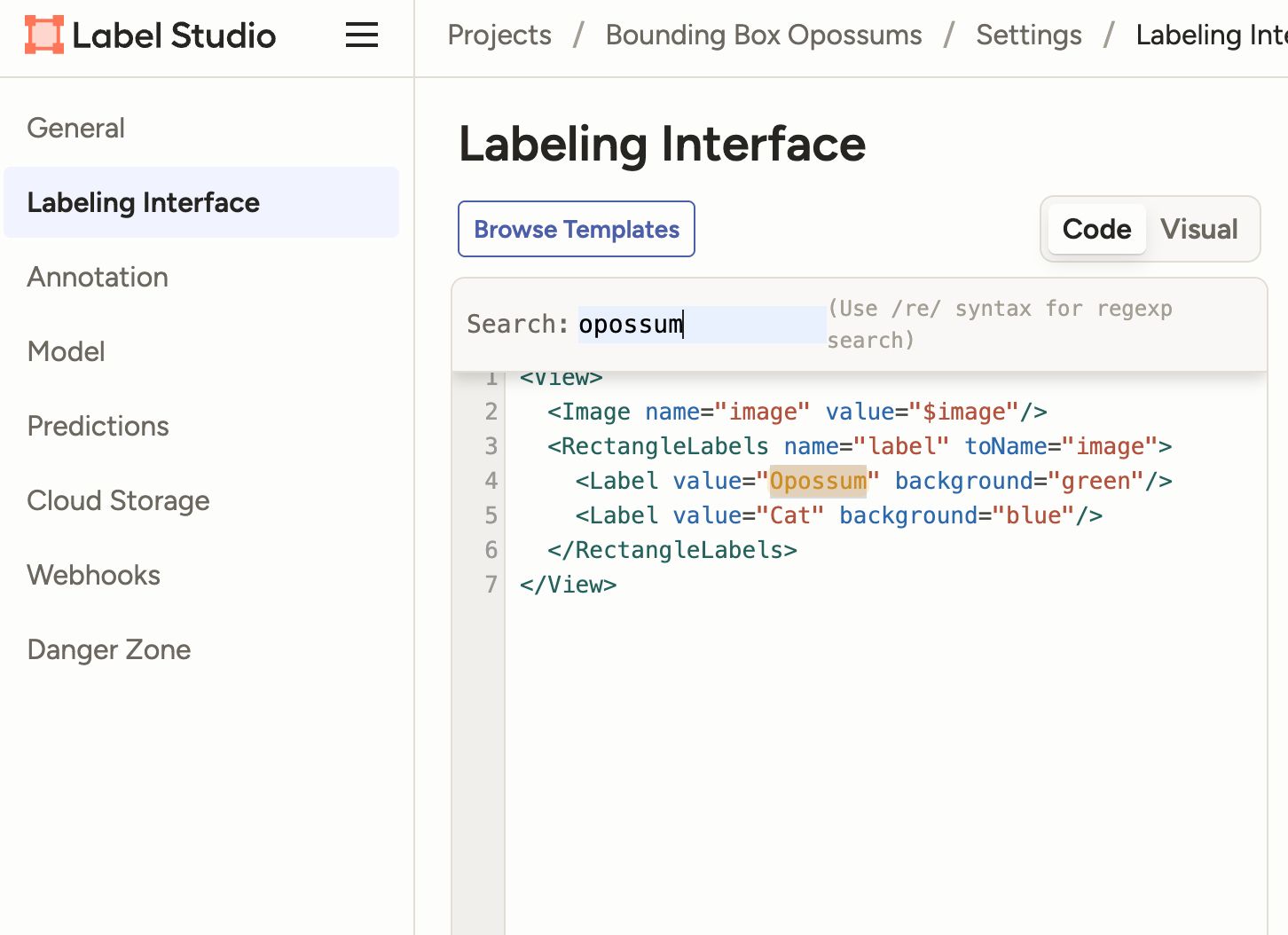
Search labeling configurations with Ctrl/Cmd + F
When working in the Code tab of the Template Builder, you can now search your labeling configuration XML using Ctrl/Cmd + F.
This makes it easier to locate specific tags, attributes, or configuration sections in complex labeling interfaces.
Resize template builder panels
You can now click and drag to resize the configuration and preview panels in the Template Builder.
This allows you to adjust your workspace depending on whether you are editing configuration code or previewing the labeling interface.
Faster task selection and navigation
A few smaller updates improve everyday navigation.
Shift-click to select multiple Data Manager rows
You can now select a row in the Data Manager and hold Shift to select a range of rows.
This is especially helpful when performing actions across multiple tasks.
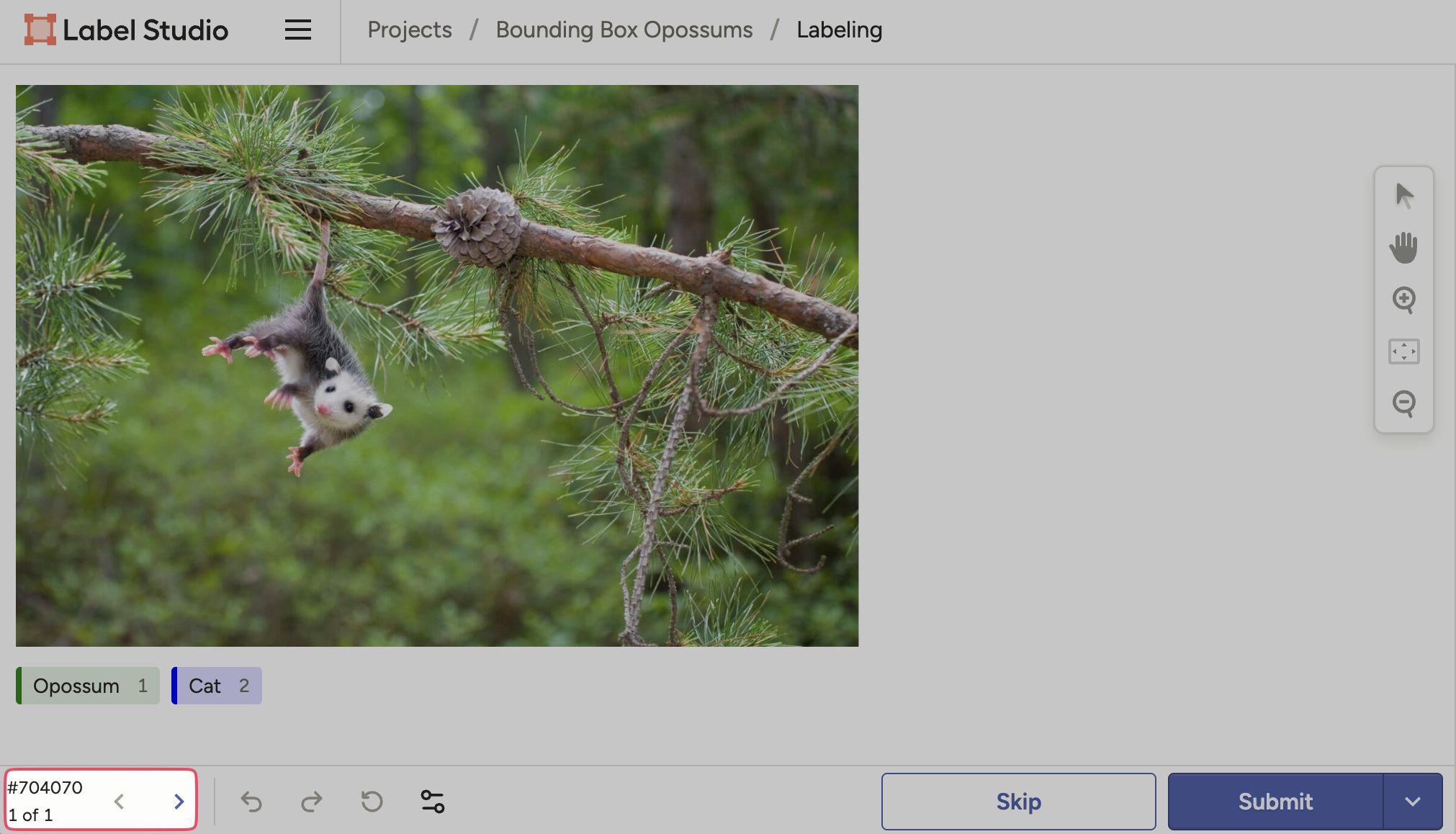
Task navigation moved to the bottom of the labeling interface
To better use screen space, the task ID and navigation controls for the labeling stream have been moved below the labeling interface.
Additional improvements
Label Studio 1.23 also includes several UX and system improvements:
- Recent projects now prioritize projects most recently visited by the user
- Consistent time formatting across the interface
- Improved annotation tab display with truncation and metadata tooltips
- Better visibility for the Compare All feature
- UI improvements to the TextArea component
Performance improvements
Task switching performance has been optimized to make navigating between tasks faster.
SDK improvements
The Membership endpoint now exposes created_projects and contributed_to_projects fields at the root level, simplifying access for integrations.
Security
This release includes a fix for a potential XSS issue related to custom hotkey payloads.
Breaking change: Alpine Docker image
Starting with this release, Label Studio now uses an Alpine-based Docker image instead of Debian Trixie.
If you build on top of the Label Studio Docker image, update your Dockerfile accordingly:
- replace
apt-getwithapk - update the
FROMimage reference
Upgrade to Label Studio 1.23
You can upgrade today or view the full release notes here.
Related Content
-
Label Studio 1.21.0: Pixel Perfect Annotation, Custom Hotkeys, and Smarter Audio/Video Tools
Label Studio 1.21 delivers pixel-perfect annotation, custom hotkeys, and smarter audio/video tools to help teams work faster and with greater accuracy.

Label Studio Team
September 30, 2025
-
Label Studio 1.20.0: Spectrograms, Time Series Sync, Playground 2.0, and JSONL Support
Label Studio 1.20.0 introduces major upgrades for audio, video, and time series labeling, including spectrogram support, stream synchronization, and easier data imports.
Label Studio Team
July 1, 2025
-
Label Studio 1.19: MajorCloud Storage Updates and More Community-Driven Fixes
Label Studio 1.19 tackles key open source pain points with easier cloud imports, CORS proxy support, and new features like multi-task JSON and KeyPointLabel export.
Label Studio Team
June 10, 2025